If you are in India and wish to donate to the Nepal Earthquake Relief, then proceed to the Paytm Nepal Earthquake Fund by following these simple steps. Paytm has generously offered the “match it rupee for rupee” scheme, where they will donate to the Nepal Earthquake Relief the same amount you donate to the fund. You can donate anything from Rs.10/- to Rs.200,000/- in a single transaction and can continue donating any number of times you wanted. Check out the below pictures to get a clear picture on how you can donate to Nepal Earthquake Fund Relief.

Step 1: Create an account with your email or phone number in Paytm.
Step 2: Verify your phone and email address (email not found? check your spam or try again).
Step 3: Login to your Paytm Account and click any of the following donations mentioned below.
- Donate Rs.10 to Nepal victims
- Donate Rs.20 to Nepal victims
- Donate Rs.50 to Nepal victims
- Donate Rs.100 to Nepal victims
- Donate Rs.500 to Nepal victims
- Donate Rs.1000 to Nepal victims
- Donate Rs.5000 to Nepal victims
- Donate Rs.10000 to Nepal victims
Step 4: You can also multiple your each donation transaction up to 20times more as mentioned below.
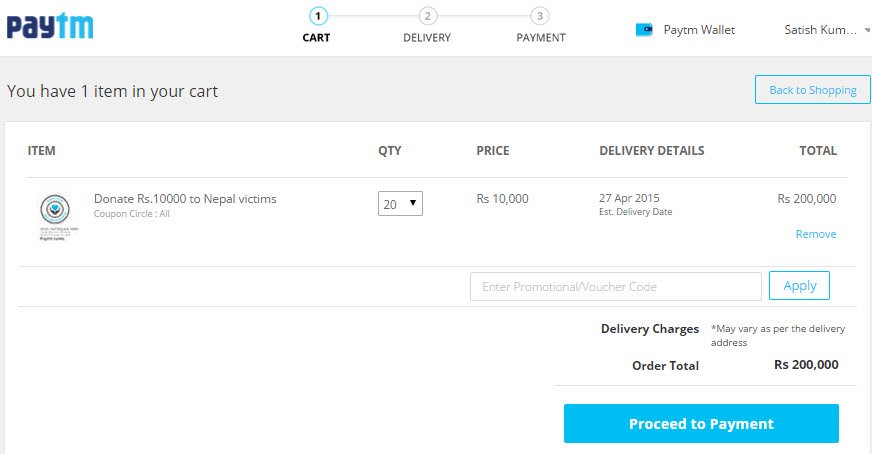
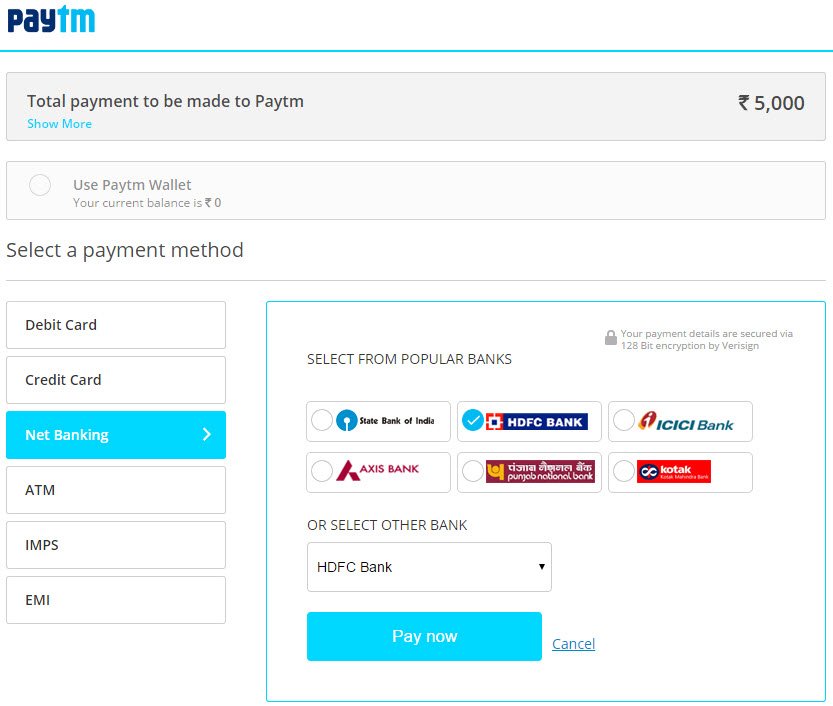
Once you have finalized your amount, click on Proceed to Payment to select your payment method. You can choose any of the following payment method and click on Pay Now to complete your transaction.
Once the transaction is successfully completed, you should see the below screen with your donated amount, order number with date and time.
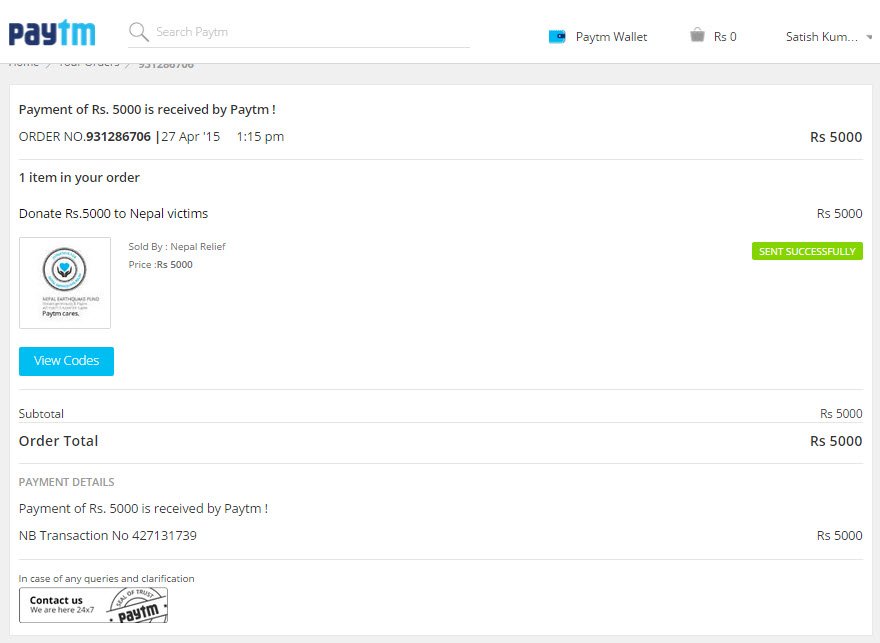
Sorry for disclosing the amount. We just wanted to make sure people are not confused with the blurred portion of the image.
If you are an international donor, you can check out the NYTimes article on how to donate for Nepal or the abcnews.go.com on How to Help Nepal Earthquake Victims.


